1. Full Mix Study
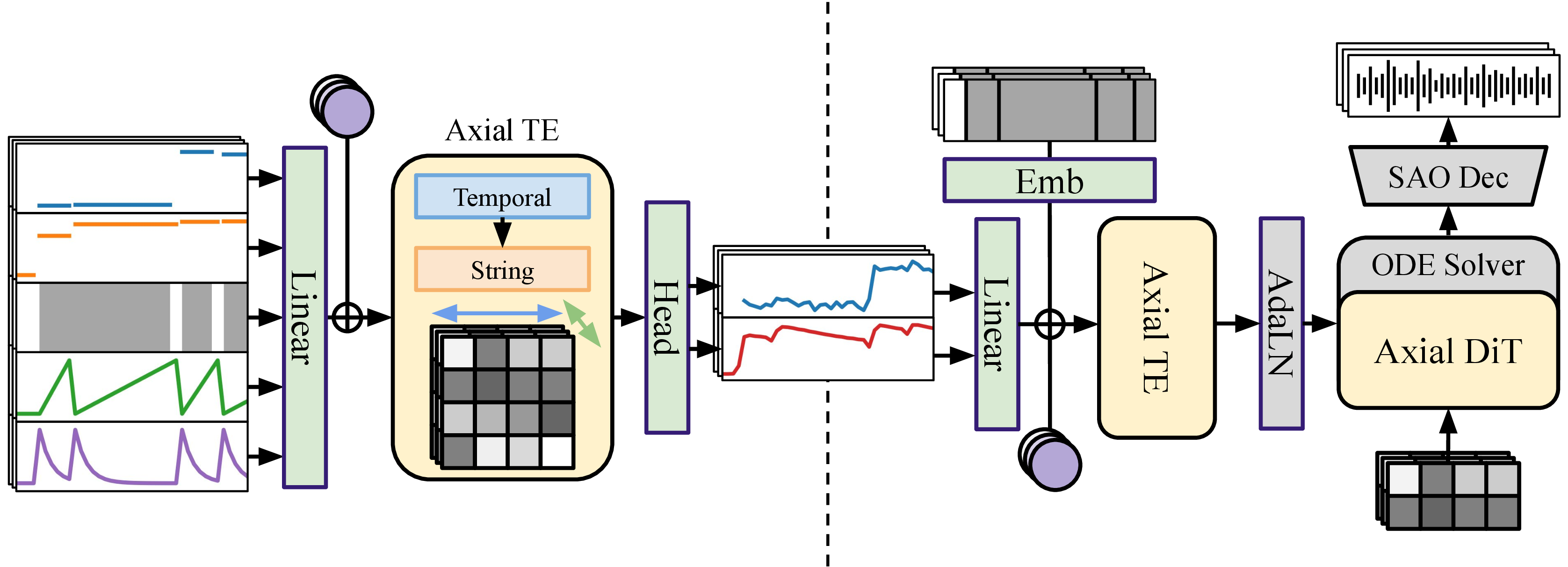
Select a sample and compare the audio of each model output. Click between the model pills to A/B the same sample rendered by each system while the MIDI roll and query stay fixed — listen for overall audio quality and naturalness.
2. Single String Study
Please select a fixed target audio and fixed target string, compare the information between the different model. Pick a model and a string, then play that string's isolated audio while comparing it against the re-extracted pitch/envelope curves below — click a legend entry to isolate one system's line if the overlay gets busy.
String
Audio Feature Re-Exacted from Prediction
Gray background: where a note is actually sounding.
Predictor input
Synthesizer input
3. Velocity Prediction
A note-gain predictor estimates per-note loudness from the score alone (no real recording needed); this feeds the same pitch/envelope predictor and synth as the 2-stage system above, making a full 3-stage pipeline. Select a sample, compare its mix audio against the 2-stage (ground-truth velocity) and ground-truth arms, and read the predicted vs. ground-truth velocity curve for every string. Use the String pill or a legend entry to focus the plot on one string, then compare the solid (predicted), dotted (re-extracted from the rendered audio), and faint dashed (ground truth) lines to judge whether the synth actually reached the loudness it was asked for.
String
Velocity comparison (all 6 strings)
4. Unseen Long Audio Inference
Four real-length recordings (63-185s), rendered end-to-end by the full 3-stage pipeline from MusicXML scores in the GAPS dataset — unseen by any part of the system during training, played back whole, not cropped to a short window. There is no alternate system or ground truth to A/B here — just listen for coherence over the full length, especially near the chunk boundaries described below.